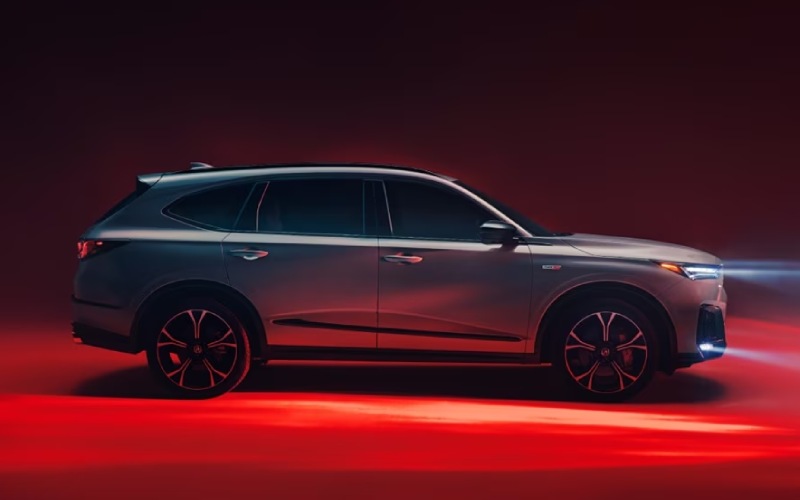
CardinaleWay Acura Las Vegas - What Does AcuraWatch Include on the 2026 Acura MDX for Enterprise, NV Drivers?
Safety isn’t just a checklist on the 2026 Acura MDX—it’s integrated into how the vehicle sees, thinks, and supports the driver. If you’re researching the MDX and wondering what AcuraWatch™ includes, here’s a clear breakdown tailored to everyday driving in and around Enterprise, NV. AcuraWatch combines core driver-assist features that help enhance awareness with available technologies that provide an extra layer of convenience in traffic and tight spaces.
Standard on every MDX, AcuraWatch is anchored by Collision Mitigation Braking System™ (CMBS™), which can help reduce the likelihood or severity of frontal collisions by providing alerts and, if needed, brake support. Road Departure Mitigation (RDM) and Lane Keeping Assist System (LKAS) offer gentle steering input to help you remain centered or on course, while Adaptive Cruise Control (ACC) with Low-Speed Follow and Traffic Jam Assist work together to ease stop-and-go commutes by maintaining speed, distance, and light steering assistance at lower speeds. Pedestrian Detection and Traffic Sign Recognition round out the set, helping the MDX identify key roadway information and vulnerable road users.
- Collision Mitigation Braking System™ (CMBS™): Helps alert the driver of a potential frontal impact and can apply braking to help reduce severity.
- Road Departure Mitigation (RDM): Helps detect when you’re leaving a detected lane or roadway and can apply steering torque and braking.
- Lane Keeping Assist System (LKAS): Provides steering assistance to help keep you centered in a detected lane at higher speeds.
- Adaptive Cruise Control (ACC) with Low-Speed Follow: Maintains set speed and following distance, with low-speed capability for heavy traffic.
- Traffic Jam Assist (TJA): Aids with steering at low speeds and can bring the vehicle to a stop, then resume as traffic moves.
- Pedestrian Detection: Works with CMBS™ to help detect pedestrians and can alert the driver or apply braking if necessary.
- Traffic Sign Recognition (TSR): Detects speed limit signs and displays them on the cluster and available Head-Up Display.
- Blind Spot Information System: Standard on all MDX packages and designed to help detect vehicles in your side alert zones.
Beyond AcuraWatch, the MDX offers additional available technologies that take low-speed maneuvering and parking confidence to the next level. The Surround-View Camera System stitches together a 360-degree perspective, parking sensors add audible guidance, and Low Speed Braking Control can apply the brakes automatically if a low-speed frontal or rear collision is imminent. Rear Cross Traffic Monitor provides visual and audible alerts to approaching vehicles when backing up, while Front Cross Traffic Warning, available on Type S Advance, helps you nose safely into busy intersections with limited visibility.
- Surround-View Camera: Provides a 360-degree view through the display to help you navigate tight spaces.
- Front and Rear Cross Traffic Monitor: Alerts you to vehicles approaching from either side when moving forward or in reverse.
- Low Speed Braking Control: Can automatically apply braking at low speeds if a frontal or rear collision is unavoidable.
It’s also worth highlighting how the MDX keeps critical information front and center. The 12.3-inch Precision Cockpit™ is standard and configurable, so you can prioritize what you need most on a given drive. On select packages, a 10.5-inch Head-Up Display projects navigation, speed, and AcuraWatch alerts directly on the windshield to reduce eyes-off-road time. Pair those with Google built-in on the 12.3-inch touchscreen and wireless smartphone integration, and you have a driver’s environment that’s both aware and intuitive.
If you’re weighing packages, note that the Type S Advance adds Lane Change Collision Mitigation and Steering Avoidance to help support safer lane changes. This builds on the standard Blind Spot Information System by providing steering input if needed to help avoid a collision. It’s a thoughtful addition for drivers who spend time on multi-lane highways and value the highest available level of assistance without sacrificing the MDX’s connected, athletic feel.
Frequently Asked Questions:
Does AcuraWatch work in heavy traffic?
Yes. ACC with Low-Speed Follow and Traffic Jam Assist can maintain a set gap, bring the MDX to a stop, and resume as traffic flows, while providing light steering assistance at lower speeds. Always remain attentive and ready to take control.
Is the Surround-View Camera available on all trims?
The Surround-View Camera System is standard on Advance and Type S Advance packages. Even without it, every MDX includes a multi-view rear camera to aid with parking.
What’s the difference between Blind Spot Information and Lane Change Collision Mitigation?
Blind Spot Information System is standard and alerts you to vehicles in adjacent lane alert zones. Lane Change Collision Mitigation, available on the Type S Advance, can provide steering input to help avoid a lane-change collision when needed.
CardinaleWay Acura Las Vegas is serving Enterprise, Henderson, and Boulder City with a consultative approach to safety tech—walk in with questions, and leave with a clear understanding of how AcuraWatch can support your everyday driving. If you’d like to see these systems in action, we’ll arrange a tailored demo route and feature walkthrough so you can evaluate what matters most to you.